

Parental Control
Parental Control
Enel provides a free “Parental Control” service that helps protect minors from inappropriate content easily accessible on the internet.
Once the “Parental Control” feature is activated, all devices connected to the modem provided by Enel will be unable to access websites categorized as inappropriate by AGCOM.
| Categories used for Parental Control systems | Description |
|---|---|
|
Adult Content |
Websites intended for adult audiences, sites displaying full or partial nudity in a pornographic sexual context, sex accessories, sexually oriented activities. Sites that support the online purchase of such goods and services. |
|
Gambling/Betting |
Websites that provide information or promote gambling or support online gambling and/or betting. |
|
Weapons |
Websites that provide information, promote, or support the sale of weapons and related items. |
|
Violence |
Websites that display or promote violence or personal injury, including self-harm, suicide, or that show gratuitous, graphic, or extreme violence. |
|
Hate and Discrimination |
Websites that promote or support hatred or intolerance towards any individual or group. |
|
Promotion of practices that may harm health according to established medical knowledge |
For example, websites that promote or support anorexia and/or bulimia, the use of illegal drugs, alcohol, or tobacco. |
|
Anonymizers |
Websites that provide tools and methods to make online activity untraceable. |
|
Cults |
Websites that promote or offer methods, instructional materials, or other resources to influence real events through the use of spells, curses, magical powers, or supernatural beings. |
FAQ
To activate/deactivate “Parental Control”, simply open a browser (Chrome, Edge, Firefox…) and access the interface of the modem provided by Enel by entering the following address in the URL bar: 192.168.1.1.

You will need to enter the following credentials:
- Username: “admin”
- Password: printed on the label on the back of the modem, under “Login Password”.
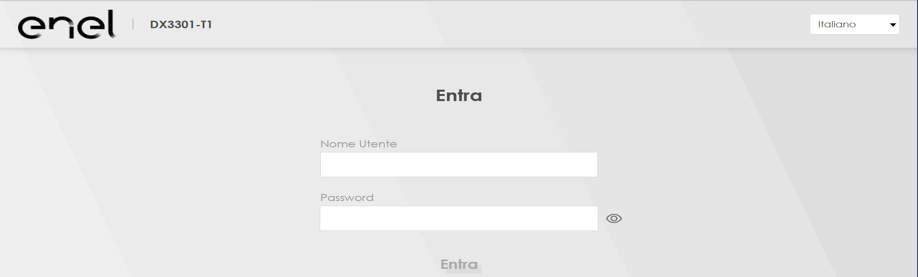
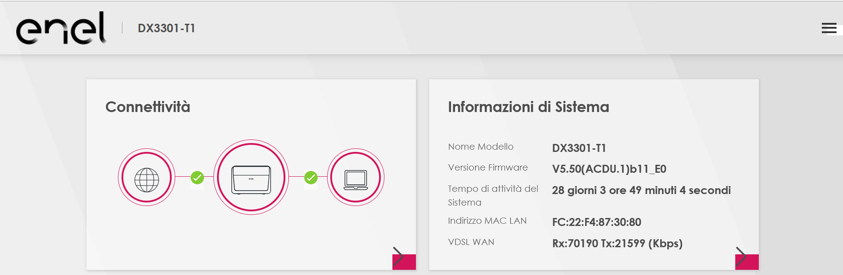
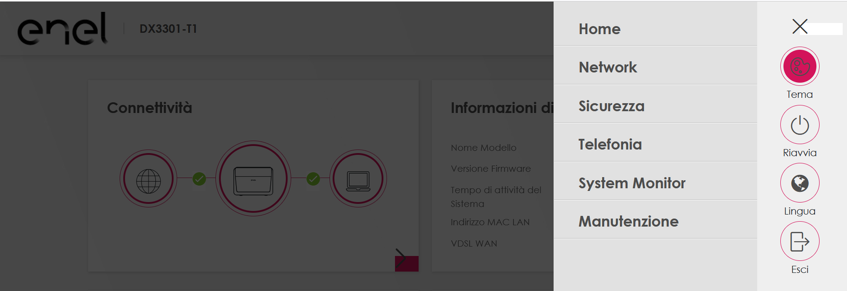
Once logged in, click the menu icon (three bars at the top right):
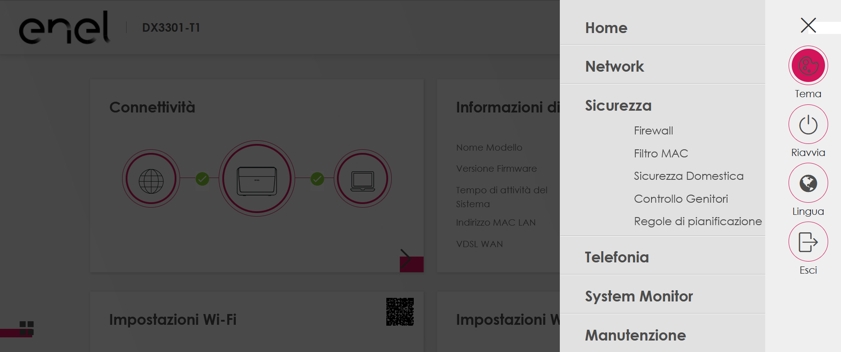
Select the “Security” menu:
Choose “Parental Control” from the menu:
Select the “Parental Control” tab:
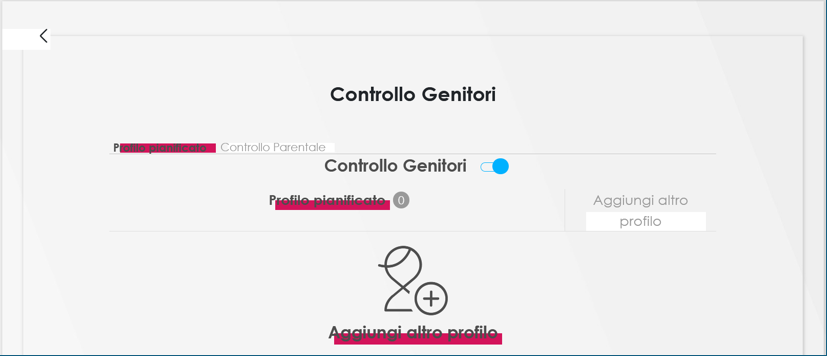
To enable Parental Control, move the toggle from “OFF” (grey):
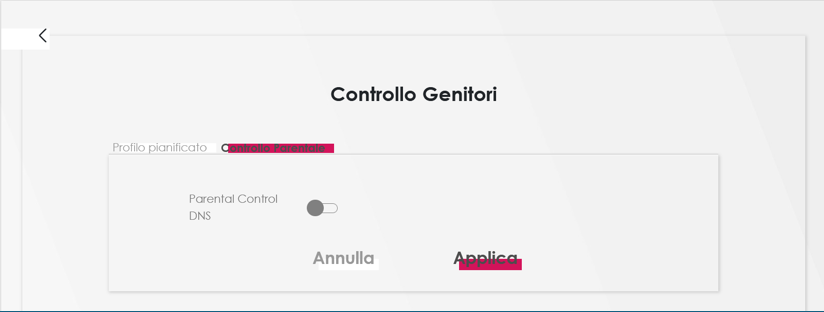
to “ON” (blue) and click “Apply”.
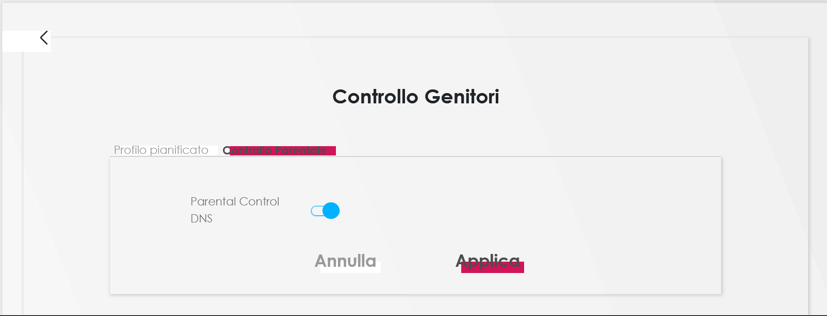
To disable Parental Control, move the toggle back to “OFF” (grey) and press “Apply”.
To activate/deactivate “Parental Control”, simply open a browser (Chrome, Edge, Firefox…) and access the interface of the modem provided by Enel by entering the following address in the URL bar: 192.168.1.1.
Enter the code printed on the label at the bottom of the modem in the "Router Access" - "Password" section (or the password if previously changed) in the Password field, then click the "Login" button.
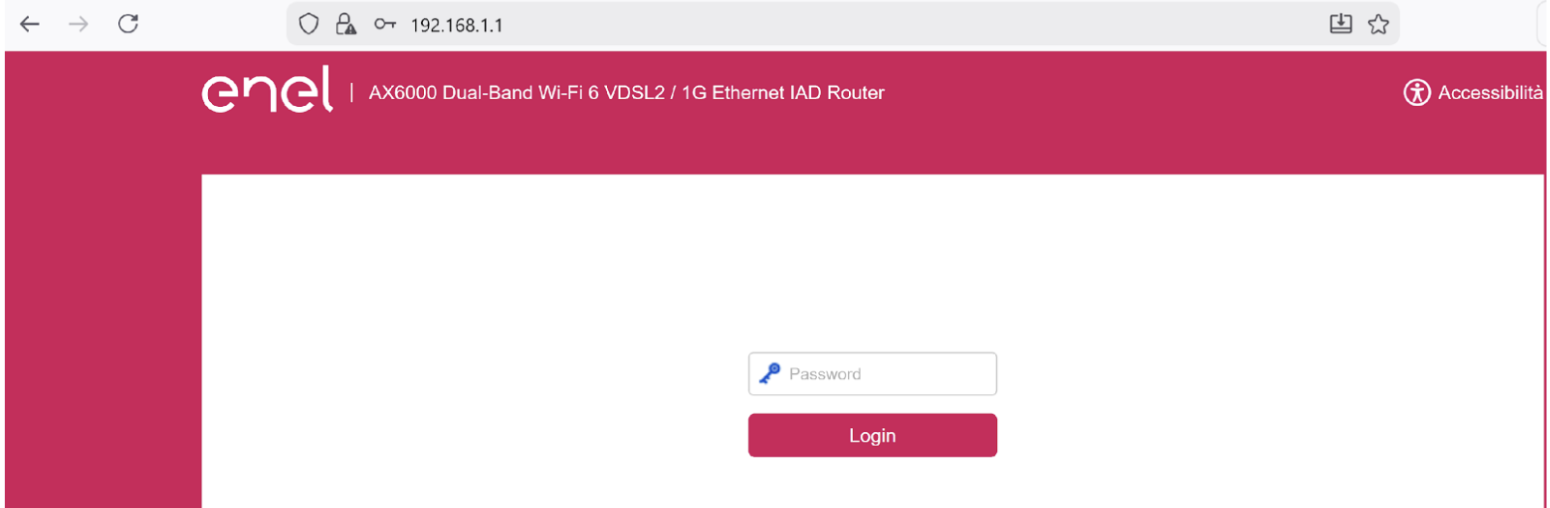
Once logged in, click on “Parental Controls” from the main screen.
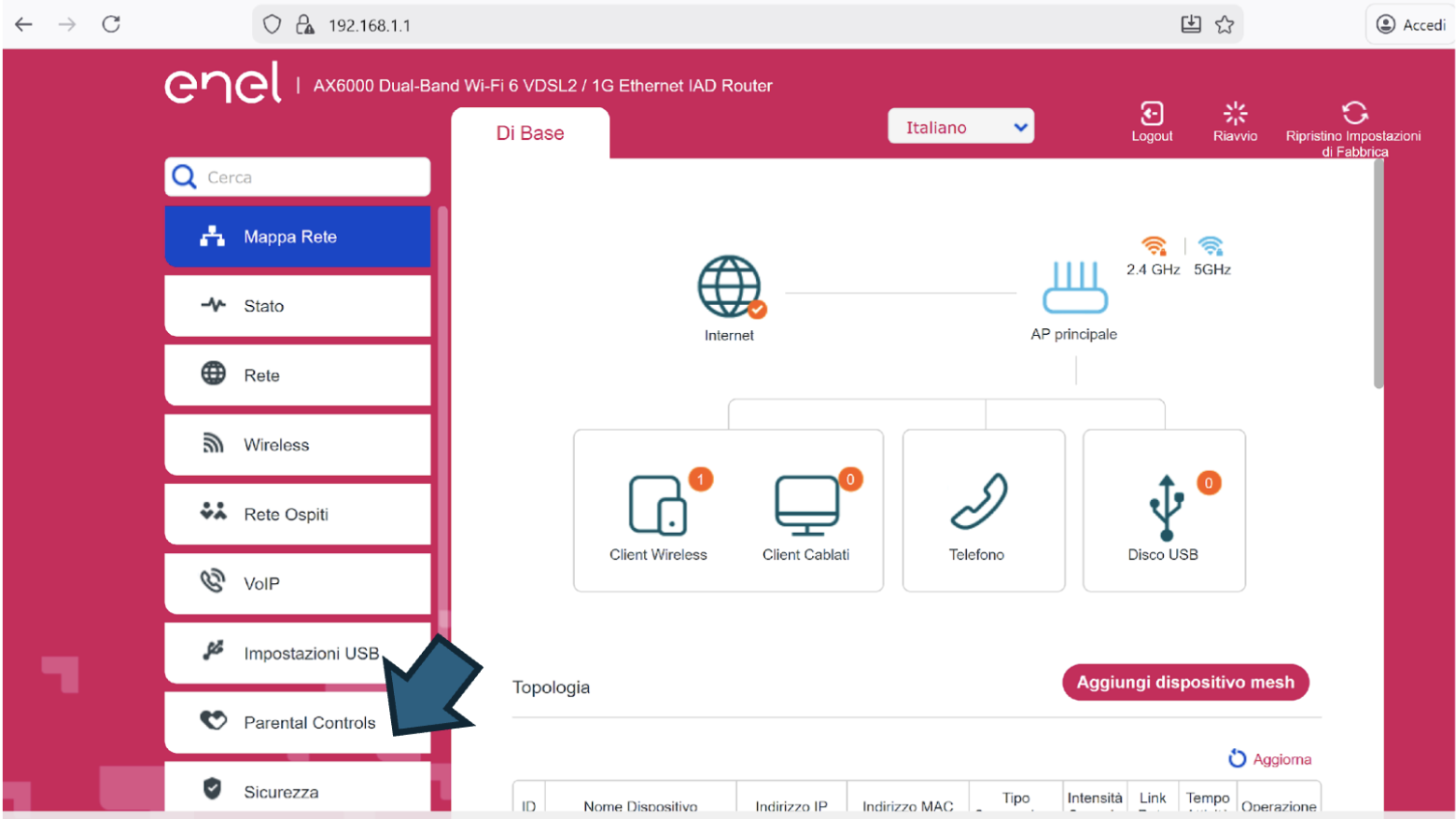
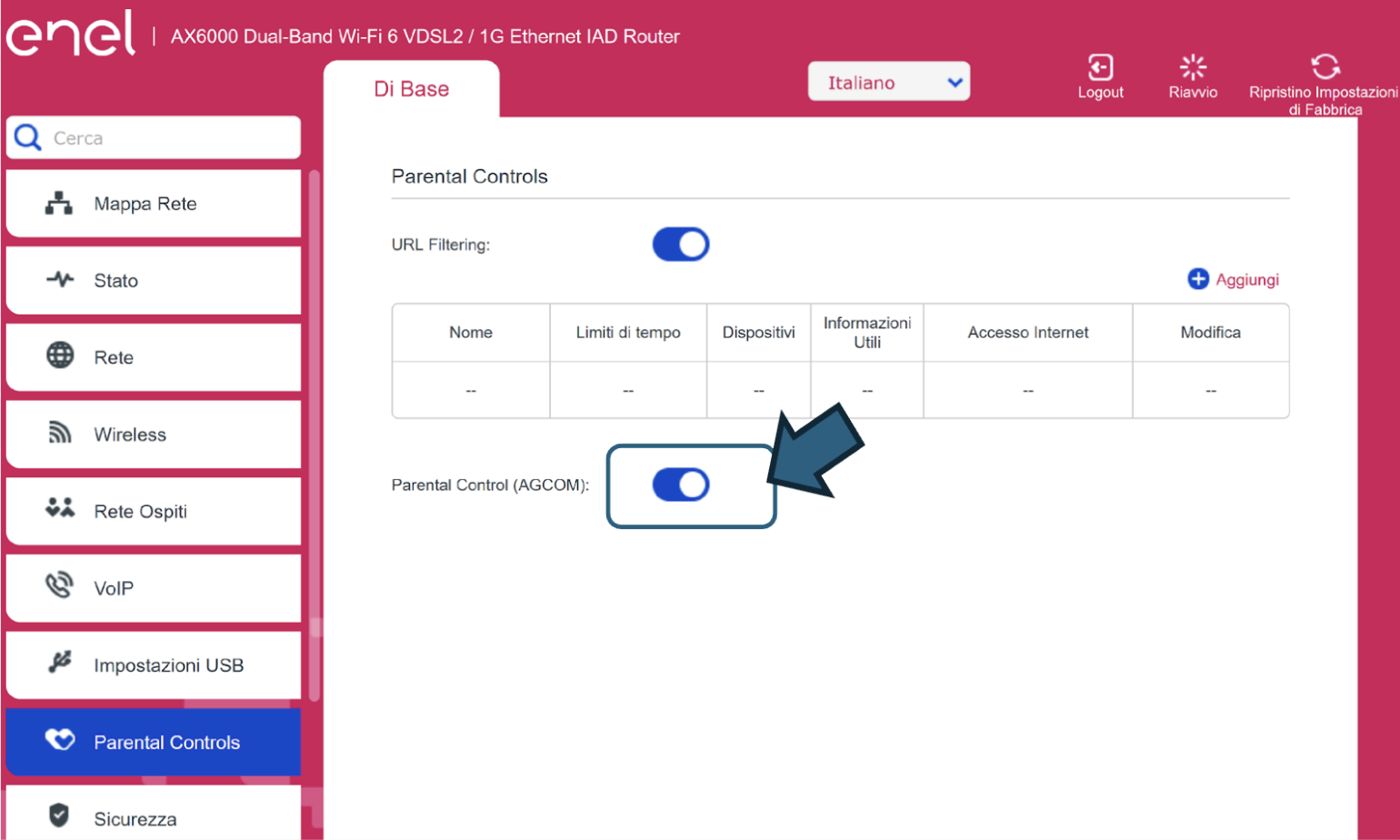
Enable parental control by moving the slider to “ON” (blue).
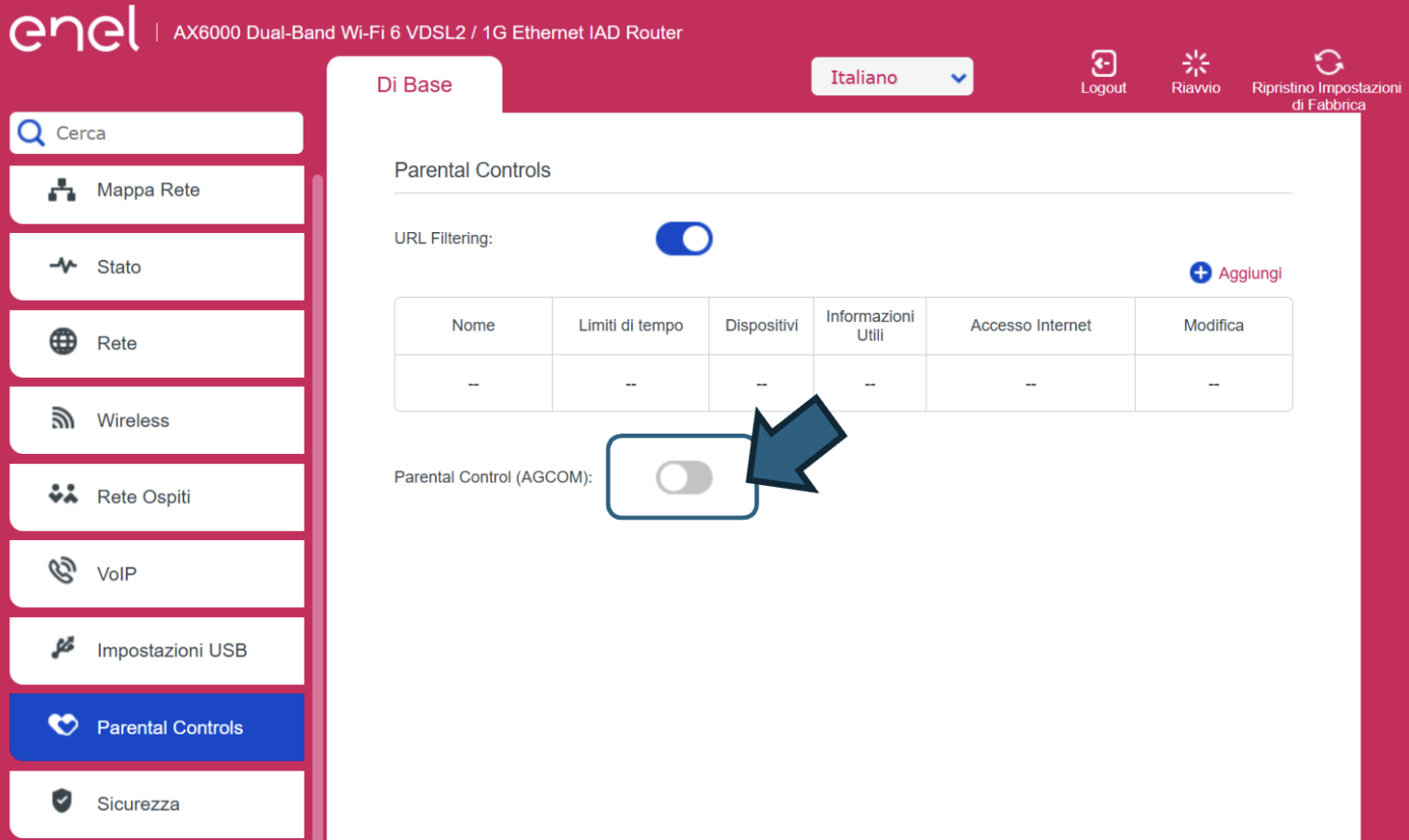
Conversely, to disable parental control, move the slider to “OFF” (grey).
Yes, you can activate it, but the configuration described above is valid only for modems provided by Enel.
The Parental Control service is configured on the modem itself, so it applies to all connected devices. It is not possible to differentiate between devices with the control enabled and those without it.
Verify ZIP Code
Enter the ZIP code of the residence for which you want to activate the offer and check if you're eligible. If the result is positive, you can proceed with the subscription.


Ci dispiace! Sembra che il tuo CAP non rientri tra quelli in cui è possibile sottoscrivere l’offerta
Find out what type of Fiber is available at your address
With Enel Energia Fiber, you always surf at the highest speed available. Enter your address and discover the details of your new connection.
Ci dispiace! L’indirizzo che hai inserito non è ancora raggiunto dalla fibra di Enel Energia
In questo momento non è possibile attivare l’offerta sull’indirizzo indicato perché non è raggiunto dalla fibra di Enel Energia. Puoi sempre verificare un altro indirizzo.
Qualcosa è andato storto
Riprova più tardi
By purchasing the air conditioner, you’ve unlocked an exclusive discount code and are entitled to a reward. Enter the code to receive a €360 bill bonus with the Formidabile Luce offer tailored for you.


Formidabile Luce for you
The Formidabile Luce offer includes a discount on the list price of the energy component for customers switching from the Servizio di Maggior Tutela.

Locked for the first 12 months
Commercialization and Sales Fee
12 €/kWh
Air Conditioner at a Formidable Price
Purchase an Enel X air conditioning system with delivery, standard installation, and ENEA paperwork support included.*
Price air conditioner
, month

Standard installation included
ENEA paperwork support included*