

Mobility QR Code: how to charge your car safely
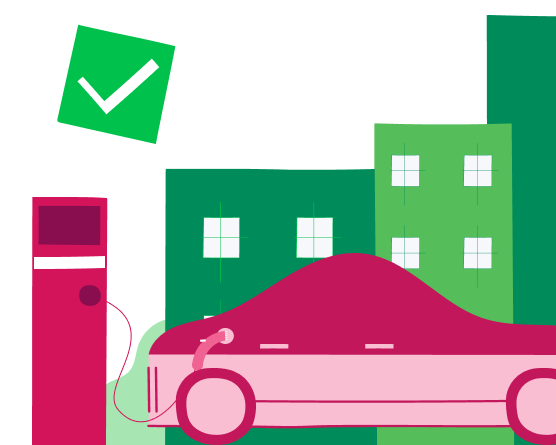
Digital scams change shape, but they always have the same objective: to deceive users and steal data or money. Recently, this type of fraud has also begun to affect the world of electric mobility. Suspicious mobility QR Codes have in fact been reported on charging stations or in their immediate vicinity. Behind an apparently harmless action, such as scanning a code, there may be an attempt at QR phishing, also known as quishing.
For those who already own an electric car or are considering switching to e-mobility, payment security is a priority. In this guide, we will see how to distinguish an authentic code from a counterfeit one and which tools to use for 100% protected charging.
What QR phishing or quishing is in mobility
The term quishing comes from the combination of “QR Code” and “phishing”. It is a sophisticated variant of the classic e-mail scam, which exploits users’ trust in a tool that has now become part of everyday life. In electric mobility, quishing aims to intercept the user at the moment when they need to start a charging session.


Initially, scam attempts in the Energy sector were limited to suspicious calls or messages. Today, with the increase in charging stations across the territory, malicious actors use social engineering techniques applied to the physical world. By applying a counterfeit sticker on a charging station, the scammer “steps out” of the web and enters the public space, making the threat harder to perceive.
Once the fake mobility QR Code has been scanned, the smartphone opens a browser pointing to an external web page. These sites are created with graphics that mirror those of the main operators, such as Enel. The user, convinced they are on an official portal, enters their credit card details or the credentials of the mobility App. At that moment, the data is instantly transmitted to a remote server managed by the scammers.
The damage is not only economic, linked to a payment that will not activate any charging session. The greatest risk concerns the theft of digital identity. Once they have obtained the credentials, malicious actors can access other associated services or sell sensitive data on the dark web. For this reason, protecting Enel’s brand reputation involves constant monitoring and information activities for its customers.
How to recognize an authentic mobility QR Code
The security of electric mobility is based on high technological standards, but the human factor remains the crucial link. Recognizing an authentic QR Code requires a quick but careful analysis of the charging station and the context you are in.
Verifying physical integrity
Charging stations are robust infrastructures, designed to withstand bad weather and wear. The official QR Code is present on the charging station display. If you notice a paper or plastic sticker applied approximately, with raised corners or air bubbles, it is very likely to be a maliciously superimposed element.
The importance of the digital display
At charging stations, the mobility QR Code is generated directly on the digital display. This is the safest method: a code on the display is much harder to counterfeit than a static sticker physically applied to the charging station. If the charging station has a screen but the code is presented to you on a sheet stuck to the side, do not scan it.
Analysis of the URL and SSL certificate
When you scan an official code with the camera, your smartphone usually shows a preview of the link. The official Enel link is easy to recognize and always uses the HTTPS protocol, represented by the closed padlock. If you see shortened links, such as bit.ly or similar, or domains with complex names and strings of random numbers, immediately close the browser window.
| Control element | Official channel | Warning sign |
|---|---|---|
|
Position |
Display |
Overlaid sticker or paper |
|
Richiesta dati |
Encrypted login only |
One-off card data entry |
|
Material |
Glass |
Adhesive paper or glossy plastic |
Best practices for worry-free charging
Technology must be a support, never a source of stress. Adopting a few digital habits can turn public charging into a secure process against any attempt at fraud.
Activating two-factor authentication
Protecting your Enel On Your Way App account is just as important as protecting your credit card. Activating two-factor authentication, or biometric access with fingerprint or face recognition, ensures that even if credentials are stolen, the scammer cannot access your profile or make payments in your name.
Monitoring transactions in real time
Most banks and mobility Apps allow you to receive immediate push notifications for every transaction. This is a fundamental line of defence: if you receive a charge notification for a charging session that has not started, you can act immediately by contacting assistance and blocking any attempted fraudulent withdrawal.
Managing payments as a guest
In some cases, you may want to charge without registering. Even in “Guest” mode, make sure you only browse official pages. Enel guarantees maximum transparency in payment flows; if the site requires too many steps or redirects you to betting sites, prize wins or surveys, you are facing a scam. Serious charging is direct, fast and professional.
Have you found a suspicious QR Code?
If, during your stop, you notice anomalies or codes that appear to have been tampered with, your report is essential to protect the entire community. A small action can help counter the spread of digital scams. You can report the issue through:
Toll-free number: 800 069 850
Enel On Your Way App: “Report a problem” section
E-mail: e-mobility@enel.com
Frequently asked questions
Yes, if the code is the official one provided by the operator on the display.
Simply scanning it is usually not dangerous, but it becomes dangerous if you enter personal or banking details on the site that opens. If you have entered sensitive data, contact your bank immediately to block your cards and change your account passwords.
Use complex passwords that are different for each service, activate two-factor authentication where available and always keep the charging App updated to the latest version available on the official stores.
Was what you read useful? Leave us a review by clicking here 👇
You may also be interested in ...
Verify ZIP Code
Enter the ZIP code of the residence for which you want to activate the offer and check if you're eligible. If the result is positive, you can proceed with the subscription.


Ci dispiace! Sembra che il tuo CAP non rientri tra quelli in cui è possibile sottoscrivere l’offerta
Find out what type of Fiber is available at your address
With Enel Energia Fiber, you always surf at the highest speed available. Enter your address and discover the details of your new connection.
Ci dispiace! L’indirizzo che hai inserito non è ancora raggiunto dalla fibra di Enel Energia
In questo momento non è possibile attivare l’offerta sull’indirizzo indicato perché non è raggiunto dalla fibra di Enel Energia. Puoi sempre verificare un altro indirizzo.
Qualcosa è andato storto
Riprova più tardi
By purchasing the air conditioner, you’ve unlocked an exclusive discount code and are entitled to a reward. Enter the code to receive a €360 bill bonus with the Formidabile Luce offer tailored for you.


Formidabile Luce for you
The Formidabile Luce offer includes a discount on the list price of the energy component for customers switching from the Servizio di Maggior Tutela.
Locked for the first 12 months
Commercialization and Sales Fee
12 €/kWh
Air Conditioner at a Formidable Price
Purchase an Enel X air conditioning system with delivery, standard installation, and ENEA paperwork support included.*
Price air conditioner
, month

Standard installation included
ENEA paperwork support included*